LED music sync: three modes, and why the wrong one feels broken
Most reports of "music sync doesn't work" are not faults. There are three separate ways to drive the lights from sound, they behave very differently, and the one most people land on first is usually not the one they want.
Key takeaways
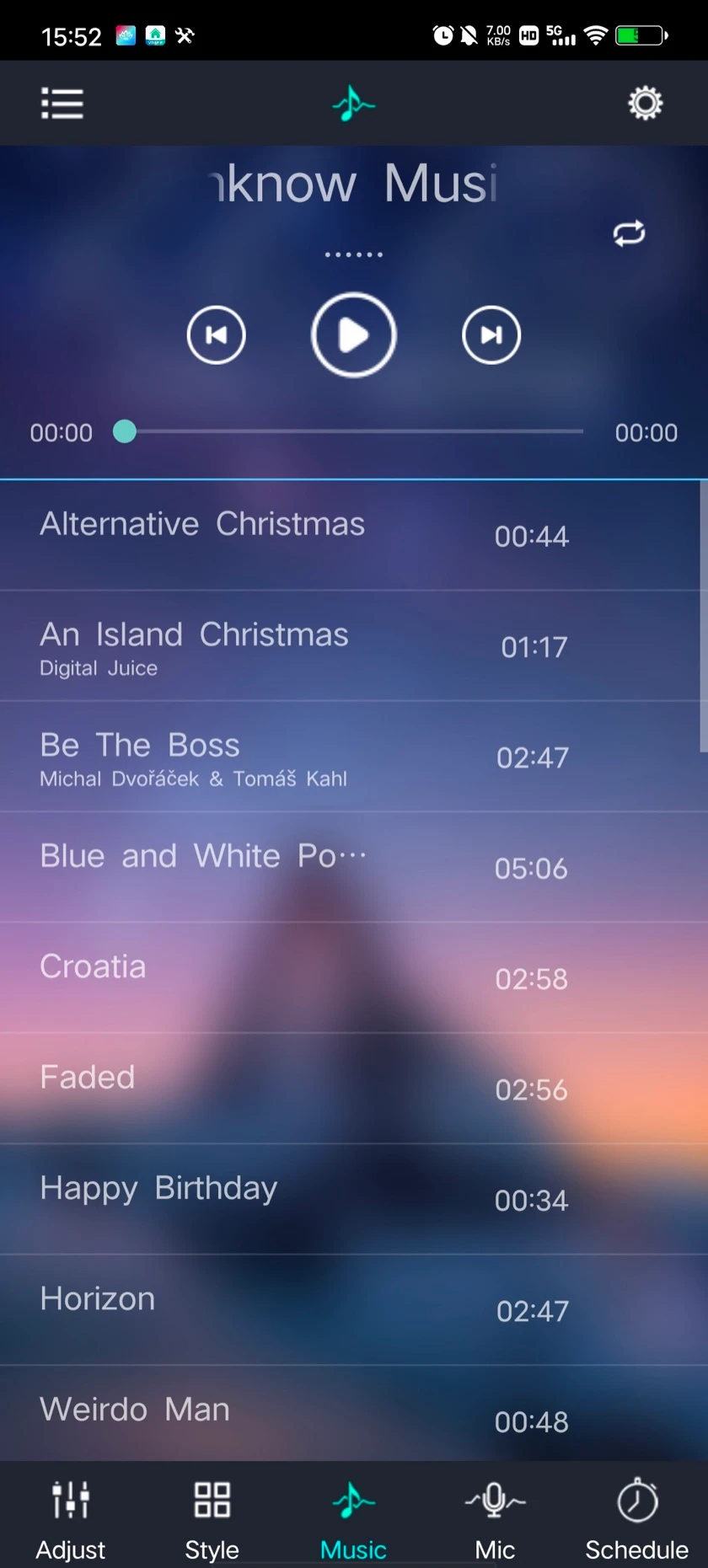
- Music mode plays only files in the phone's own library. It cannot follow Spotify, YouTube or any other stream.
- External Microphone means the microphone inside the controller, not an accessory. Once set, the phone can leave the room.
- If External Microphone is missing from your app, your controller has no built-in microphone.
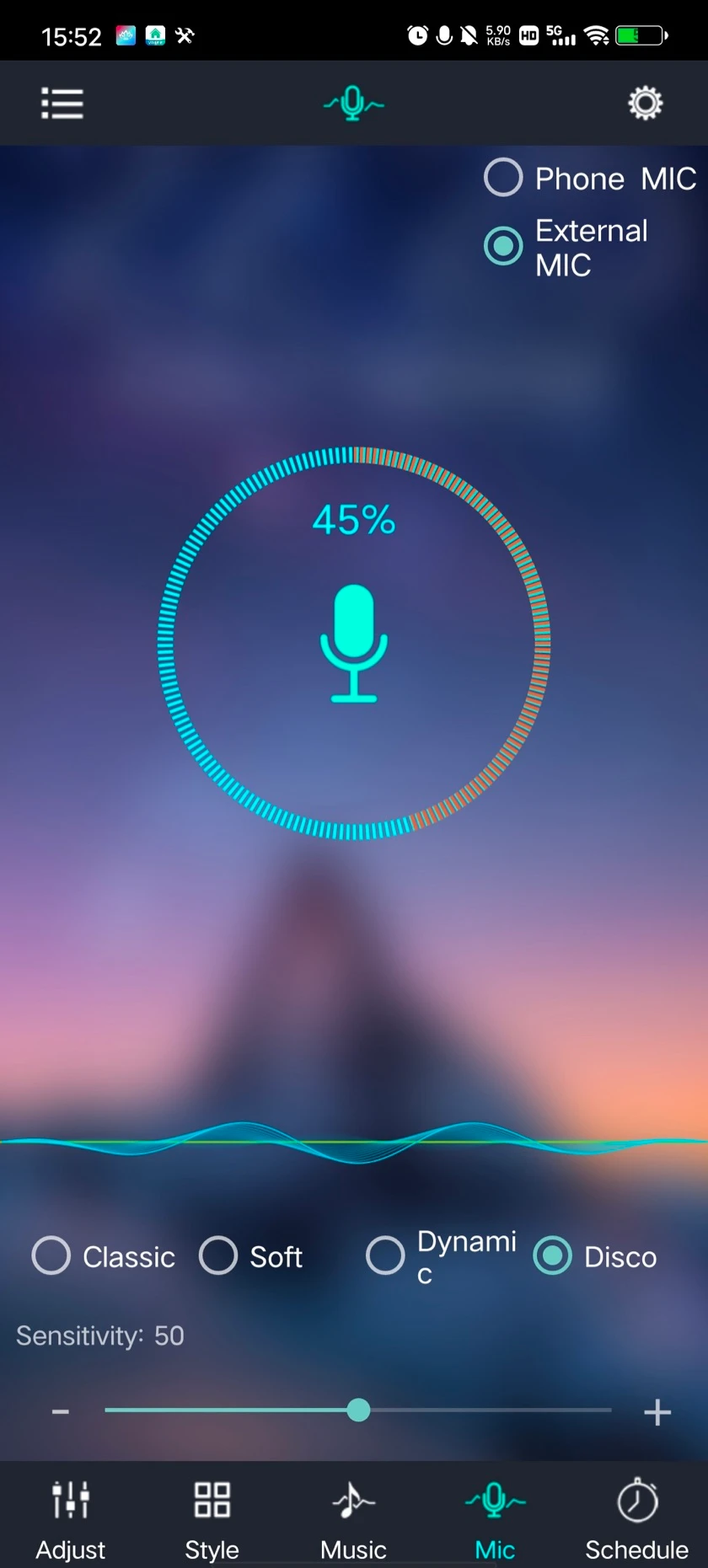
- Sensitivity and groove modes exist only on the External Microphone screen. Tune them against the level indicator, not the lights.
- Every listening mode reacts after the sound. Only Music mode knows the beat in advance.
The three modes
| Mode | What listens | Phone after setup | Best for |
|---|---|---|---|
| Music | Nothing — the app plays a track from the phone's own library and drives the lights from the file | Must stay in range with the app open | A playlist you control, with the tightest timing |
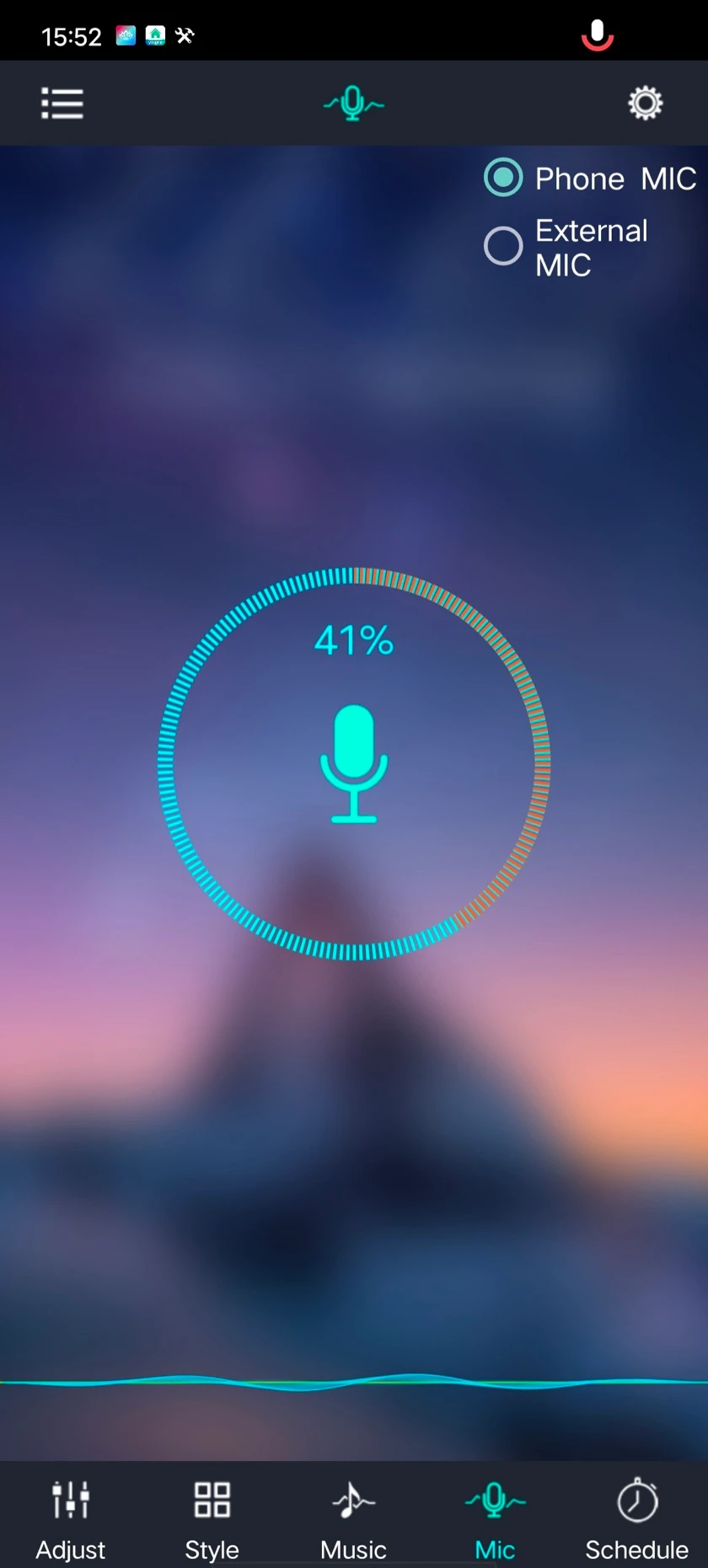
| Microphone Rhythm | The phone's microphone | Must stay in the room with the app open | Quick demos, or sound the phone can hear |
| External Microphone | A microphone built into the light's controller | Can be locked, closed or taken away | Parties, rooms, permanent installations |
"External microphone" does not mean you plug one in
The mode called External Microphone needs no accessory. It means the microphone that is external to your phone — the one built into the controller itself. Selecting it hands listening over to the light.
This is the mode most people actually want, and the one they never find. Because the controller is doing the listening, your phone stops mattering. Lock it, walk out of the room, close the app — the lights keep reacting to the music. Nothing is streamed over Bluetooth, so there is no lag from the phone either.
Not every controller has a built-in microphone. If the External Microphone option is absent from your app, yours does not have one, and your choices are the other two modes. Lights sold as sound-activated always have it; how those lights differ covers what the built-in microphone changes about where you mount them.
Which mode do you want?
| You are… | Use | Why |
|---|---|---|
| Playing music from Spotify, YouTube or another streaming app | External Microphone, or Microphone Rhythm if the controller has no microphone | Music mode cannot see a stream at all |
| Setting up a party or a permanent install | External Microphone | Nobody has to leave a phone on a shelf with the app open |
| Running a playlist you own and want the tightest timing | Music | The app is playing the file, so it knows what is coming |
| Showing a friend for a minute | Microphone Rhythm | Nothing to set up; the phone is already in your hand |
The first row is the single most common cause of "music sync doesn't work". Music mode plays from the phone's local library, so it cannot drive lights from Spotify, YouTube or anything else streaming. The mode is working exactly as designed; it is just not the mode for streamed audio.
Tuning it so it reacts to the music, not the room
The External Microphone screen carries two controls the other modes do not: a sensitivity slider and a set of groove modes. Both microphone screens also show a live level indicator that moves with the sound being picked up. Watch it before you change anything — it tells you what the light is actually hearing, which separates "cannot hear" from "hears but is not reacting".
| What you see | Cause | Do this |
|---|---|---|
| Lights flicker constantly, even between tracks | Sensitivity too high; the controller is triggering on conversation, air conditioning or a fan | Turn sensitivity down until the indicator settles when the music pauses. If it never settles, find the continuous noise — a vent, a fan, or a speaker cabinet the controller is resting on |
| Lights barely move, or only on the loudest peaks | Sensitivity too low, or the controller is too far from the speakers | Raise sensitivity first. If that is not enough, the microphone's position is the limit, not the setting |
| Lights react, but to the wrong parts of the track | Groove mode weights the sound in a way that does not suit this music | Cycle through the groove modes with a track you know well. A mode that looks right on a hard electronic beat often looks flat on acoustic material, and the reverse |
Position is the part people forget. Unlike your phone, the controller sits wherever the light is installed — behind a TV, inside a cabinet, up near a ceiling line, or across the room from the speakers. A controller listening through a cabinet door hears a muffled room, and no slider compensates for that. If you have a choice, keep it in open air and off the speaker.
Why the lights seem a beat behind
Any mode that listens is reacting to sound that has already happened. There is a detection delay, then the change has to reach the light. On a strong beat this is close enough to read as "in time". On subtle material the lights can look like they are trailing slightly.
That is what reacting to sound means, not a defect, and no setting removes it. If exact timing matters more than convenience, Music mode is the one that has it, because the app is playing the file and knows the beat before it sounds.
How the mainstream systems do music sync
Three different mechanisms are sold under the same "music mode" label. Which one a product uses decides whether the phone has to stay in the room, and whether streaming counts as music at all.
| System | Where the sound is picked up | What the phone must do | Documented limits |
|---|---|---|---|
| Govee Home (Wi-Fi and Bluetooth products) | The phone's microphone, or a microphone built into most Govee devices; a separate sync-box accessory exists for lights that sit away from the speaker | Phone-microphone mode stops when another app is using the microphone | Grouping several devices in one music scene runs over Wi-Fi and a Govee account |
| Philips Hue (Hue app with Spotify) | No microphone: the app reads the metadata of the track Spotify is playing and generates a light script; the desktop Hue Sync app captures the computer's audio instead | Log in to both a Hue and a Spotify account, with a Hue Bridge | On a phone it works with Spotify only |
| Nanoleaf Rhythm (built into Shapes and Elements; a plug-in module on Aurora) | A microphone in the panel controller, plus a 3.5 mm line-in on the module | Nothing after setup | Reacts to every sound in the room; adjustable microphone sensitivity is a long-standing request on Nanoleaf's forum |
| Ours, External Microphone mode | A microphone inside the controller | Nothing after setup: Bluetooth direct, no account | Hears the room from wherever the controller is mounted; the sensitivity slider and groove modes set the response |
Two consequences. If your music comes from Spotify or YouTube rather than files on the phone, Hue's approach covers Spotify only, and any phone-microphone mode, ours included, stops when the phone locks or another app takes the microphone. A microphone in the controller, as in our External Microphone mode and in Nanoleaf's Rhythm, is the only arrangement where the phone can leave the room. The difference between those two is that ours is tuned with the sensitivity slider described above rather than left at a fixed gain.
Sources: Philips Hue, works with Spotify; Govee community, how lights react to music; Nanoleaf forum, Rhythm sensitivity request.
If nothing happens at all
- Check the light is still connected. Change the brightness. If that does nothing, the connection has dropped and the problem is not the sync mode — start with the pairing checks.
- Check microphone permission. Both microphone modes need it. If the phone denied it at install, the level indicator sits flat and never moves — that flat indicator is the giveaway.
- Watch the level indicator while you make noise. Moving indicator but static lights means it is hearing and not driving — check sensitivity and groove mode. Flat indicator means it is not hearing at all.
- Try the other microphone mode. Switching between phone and controller microphones isolates which one is not picking up.
- For Music mode, confirm the track is local. It plays from your phone's music library. Streaming apps are not visible to it.
Still stuck? Tell us which mode you are in, whether the level indicator moves, and what the light does when you change brightness. Questions about a specific controller of ours? Contact us.