Apps and control
Pairing, colour order, music sync, offline voice and stick-on switches: the questions that follow once the light is up.
Guides
Pairing a light for the first time
The three checks that turn most "it will not connect" cases into a non-event, a short video of the actual connection flow for each of the five apps, and a table for reading what a particular failure is telling you.
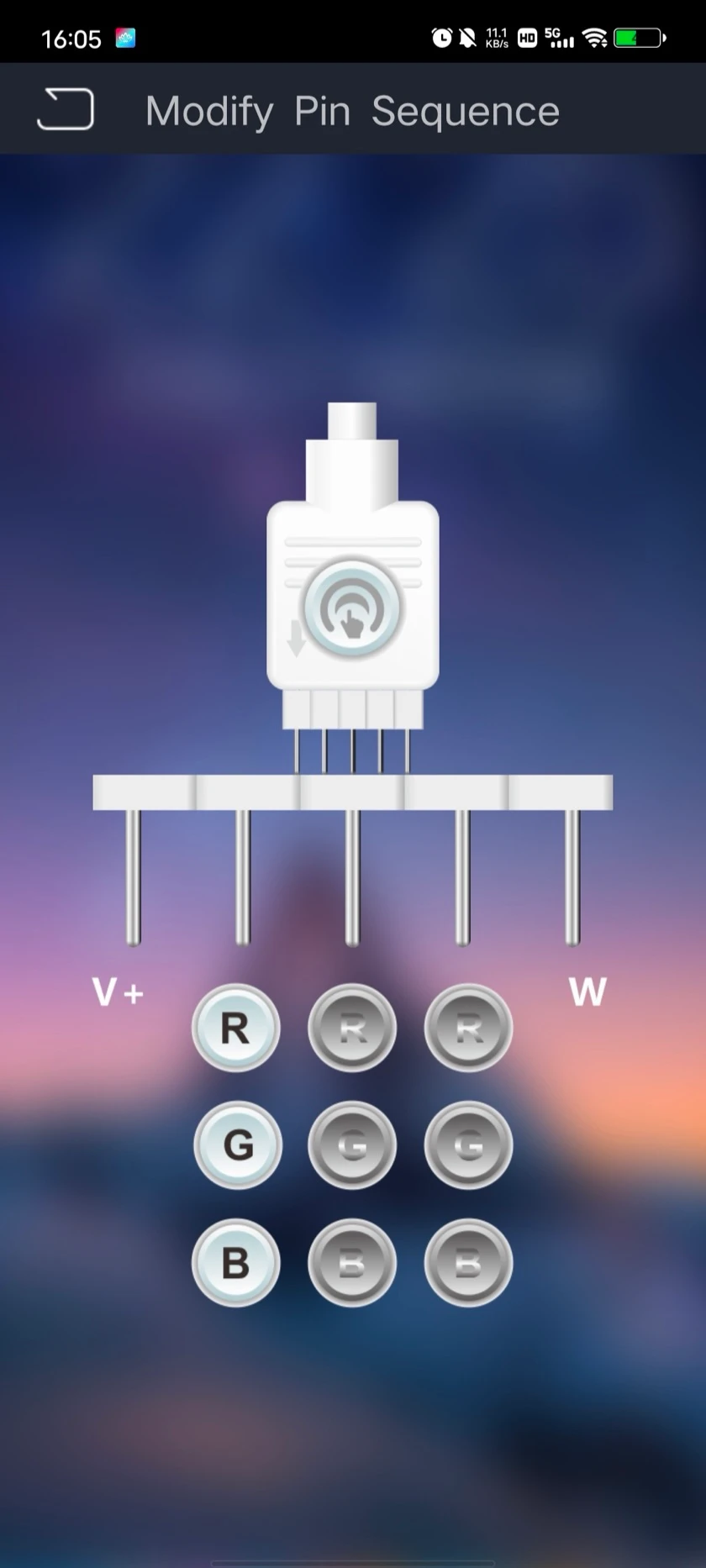
Colours come out wrong
Red showing as green is not a fault and not a broken strip. It is channel order, the strip and the controller disagreeing about which wire carries which colour, and it is corrected in the app in about thirty seconds once you know what you are looking at.
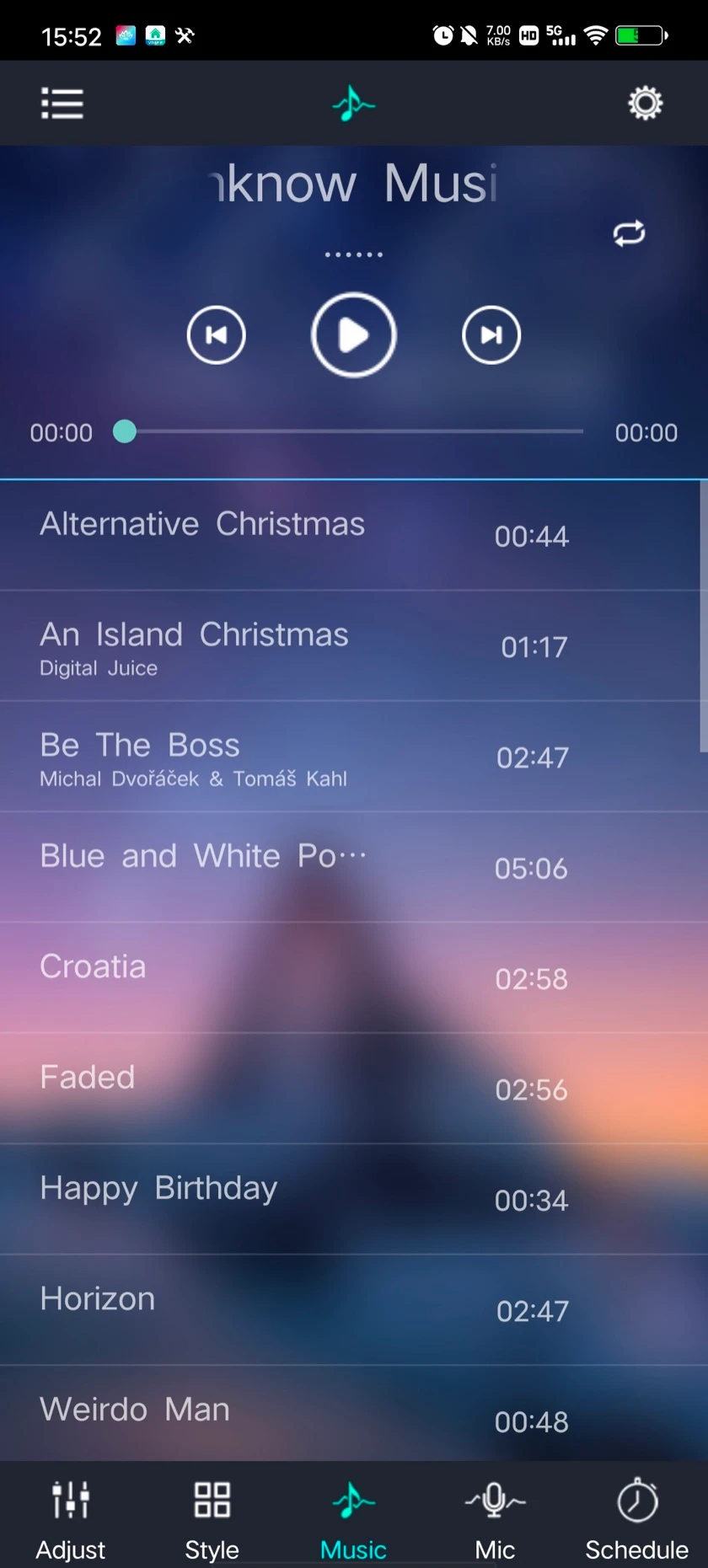
Music sync: three modes, and why the wrong one feels broken
There are three separate ways to drive lights from sound — your phone's music library, your phone's microphone, and a microphone built into the controller itself. Most reports of "music sync doesn't work" are the wrong mode, and the one most people want is the one nobody finds.
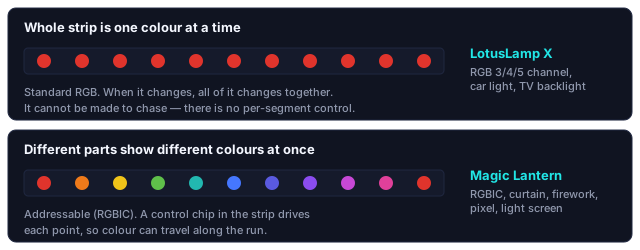
Which app controls your light?
A light that "will not connect" is, more often than any hardware fault, a light being opened in the wrong app. Three questions about the strip, the string or the controller settle which app it is before anything else is tried.
Offline voice control: no account, no network, no cloud
Some fittings recognise spoken commands on a chip inside the light, with nothing uploaded and no assistant to pair with. What that is genuinely better at, the three things it gives up, and why false triggers matter more than how many phrases it knows.
Wireless stick-on switches: a switch without a wall chase
A battery switch that sticks where you want it and talks to the light directly. What it takes out of the job, the positions a wired switch cannot reach, two years on one battery, and the placement rules that keep the link solid.
Where the app is not the answer
A control app cannot change what the hardware is able to do. Three limits come up constantly:
- A plain RGB strip cannot chase. All its LEDs share three connections, so they physically cannot show two colours at once — see why per-step lighting needs its own channels.
- A Bluetooth strip cannot follow what is on your television. There is no path for the picture to reach it. What is on offer instead is sound reaction, which is a different thing — bias lighting versus colour sync.
- Single-panel curtain lights cannot be linked into one screen. Linking is a property of the controller, not a setting — curtain variants explained.
The app for each controller
Lights built on these controllers carry a QR code on the packaging that opens the matching app, so this table is only needed when the packaging is gone. All five are free, with no paid tier, and are linked only to their Google Play and App Store listings; check the developer name on the listing before installing.
| App | Built for |
|---|---|
 Lotus Lantern Lotus Lantern |
Single-colour and tunable-white strips, and most decorative strings — Christmas lights, copper-wire strings, camping, eave lighting and star lights |
 LotusLamp X LotusLamp X |
Full-colour RGB strip where the whole run changes colour together, plus car lighting, TV backlighting, sunset lamps, water ripple units and dedicated drivers |
 Magic Lantern Magic Lantern |
Addressable RGBIC lighting, where colour travels along the strip — including curtain lights, firework lights and pixel strings |
 iMeshting iMeshting |
Mesh networking: room grouping, multi-fixture control, ceiling fan lights and offline voice control |
 LightsPlay LightsPlay |
Entertainment-led effects, running-water controllers and music interaction |