Which curtain light variant do you have, and what size fits the window?
A curtain light that stops a few centimetres short of the frame on both sides is the thing people most often regret, and it was decided in the shop, not on the ladder. The other shop-floor mistake is buying two single panels for a wide window and expecting one effect to cross the join.
Key takeaways
- Four variants share one shape. They differ in how the strands get their signal, which app pairs, refresh behaviour and whether panels join.
- Wireless variants are addressable and pair with Magic Lantern; wired variants pair with Lotus Lantern. The app that lists the panel is the right one.
- Single panels never become a linked screen later. If the opening may widen next year, buy linked-screen panels now.
- Inside the reveal: measure its narrowest point. On the wall: add 10–15% to the frame width. Between sizes, go longer.
- Let the panel hang for a few hours before fixing, fix the header ends first, and never pull the strands taut.
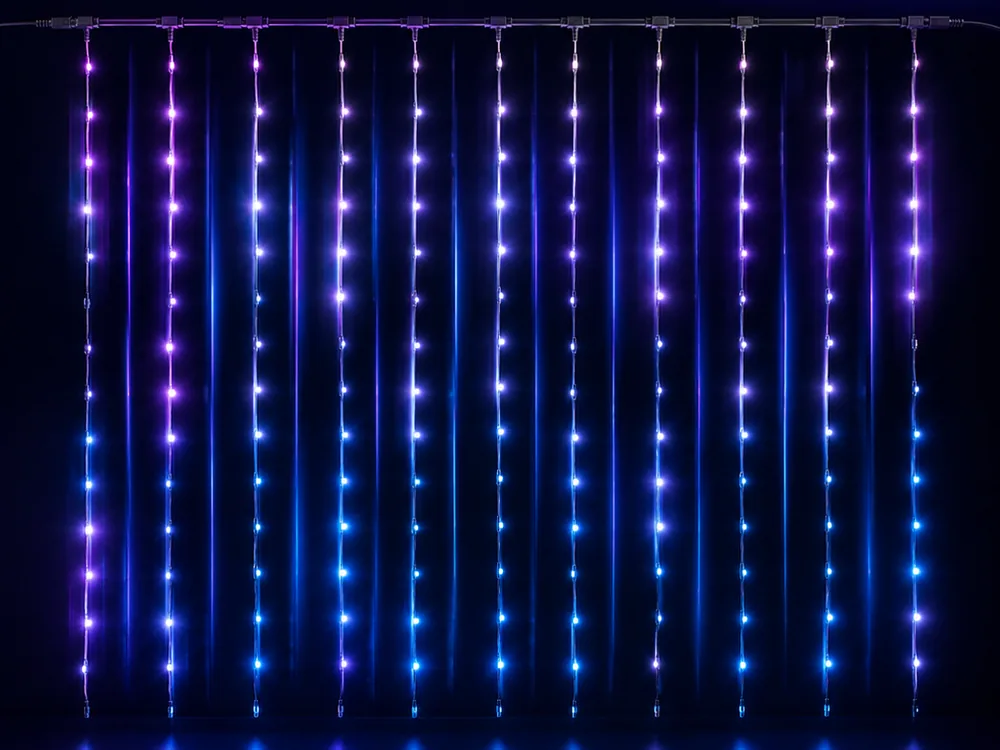
Which of the four curtain light variants is on the box?
We build the controllers for four curtain variants — Curtain, Curtain Fast, Wired and Linked Screen — and the names on the packaging look almost identical. Fast versions of the wired and linked-screen types exist as well, which is why the app's product table lists six curtain entries. The differences run along three axes, and each one changes what the panel does in the window.
| Variant | Signal to the strands | App | Colour movement | Refresh | Several panels as one surface |
|---|---|---|---|---|---|
| Curtain | Wireless, addressable | Magic Lantern | Travels along and across the panel | Standard | No — each panel repeats the effect on its own |
| Curtain — Fast | Wireless, addressable | Magic Lantern | Travels along and across the panel | Fast: smoother sweeps, fewer rolling bands on video | No |
| Curtain — Wired | Wired | Lotus Lantern | Not addressable: no effects travelling strand to strand | Standard (a Wired Fast version exists) | No |
| Curtain — Linked Screen | Wireless, addressable, panels chained from one controller | Magic Lantern | Travels across every chained panel as one grid | Standard (a Linked Screen Fast version exists) | Yes — one surface, laid out in the app |
Wired or wireless: the app decides
The wireless variants are the addressable ones — colour can travel along and across the panel — and they run on Magic Lantern. The wired variants run on Lotus Lantern instead. An app that does not speak your controller's protocol will never list the panel at all, however well Bluetooth is working. If you are unsure which you have, the app that finds the panel is the one that matches it; the pairing steps are in first-time pairing.
Standard or fast: what you notice on camera
"Fast" is how quickly the panel updates its LEDs, not how quickly you can hang it. In a window running a slow colour fade you cannot tell the two apart from the sofa. Point a phone at the panel and the difference appears: a standard panel is more likely to put rolling bands across the video, a fast panel much less so. Effects that travel — sweeps, rain, anything running down the strands — step on a standard panel and flow on a fast one. If you bought curtain lights for photographs and video, pay for fast. For a panel that sits on one colour or a slow fade, standard looks the same.
Single panel or linked screen
This is the biggest functional split in the range, and the one most often bought wrong.
A single panel has one controller. Several of them can run from the same app and show the same effect, but each runs it on its own. Put two side by side and a sweep crosses the first, then restarts at the left edge of the second.
A linked screen chains its panels into one addressable surface. A sweep crosses all of them as one continuous movement, and a pattern can sit across the join. That is what a wide window, a shopfront or a whole wall treated as one canvas needs.
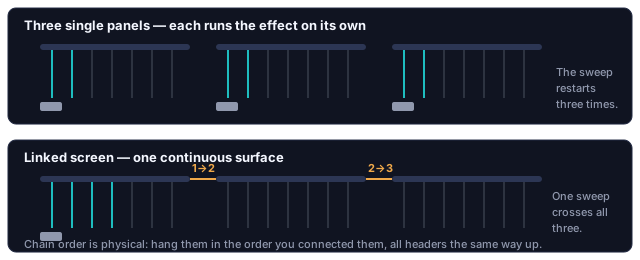
You cannot upgrade single panels into a linked screen later. Linking is a property of the controller and the way the panels are chained, not a setting you enable. If there is any chance you will want to span a wider opening next year, buy linked-screen panels now — this is the most expensive mistake in the curtain range.
What a linked screen can show that a plain curtain cannot
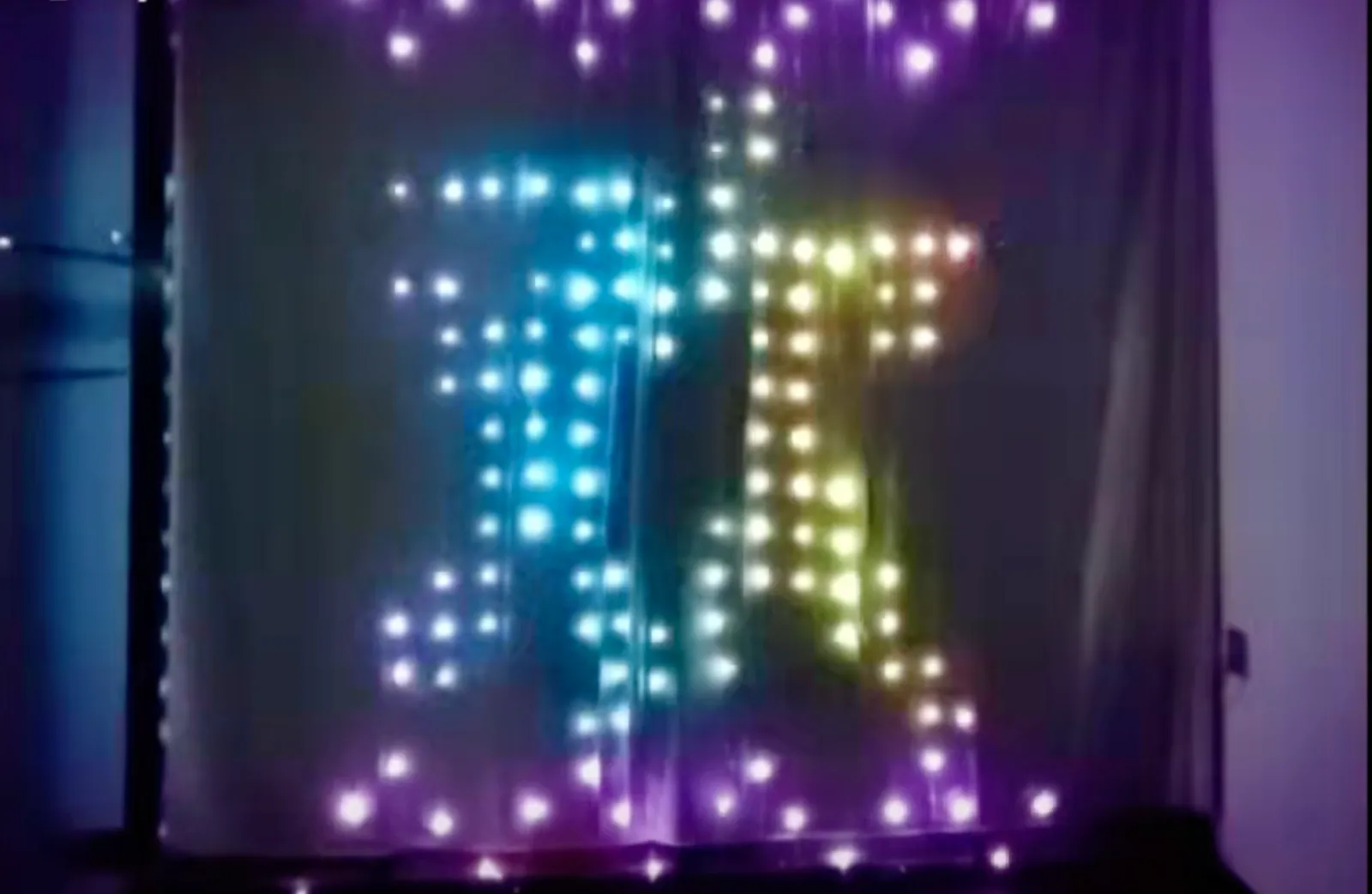
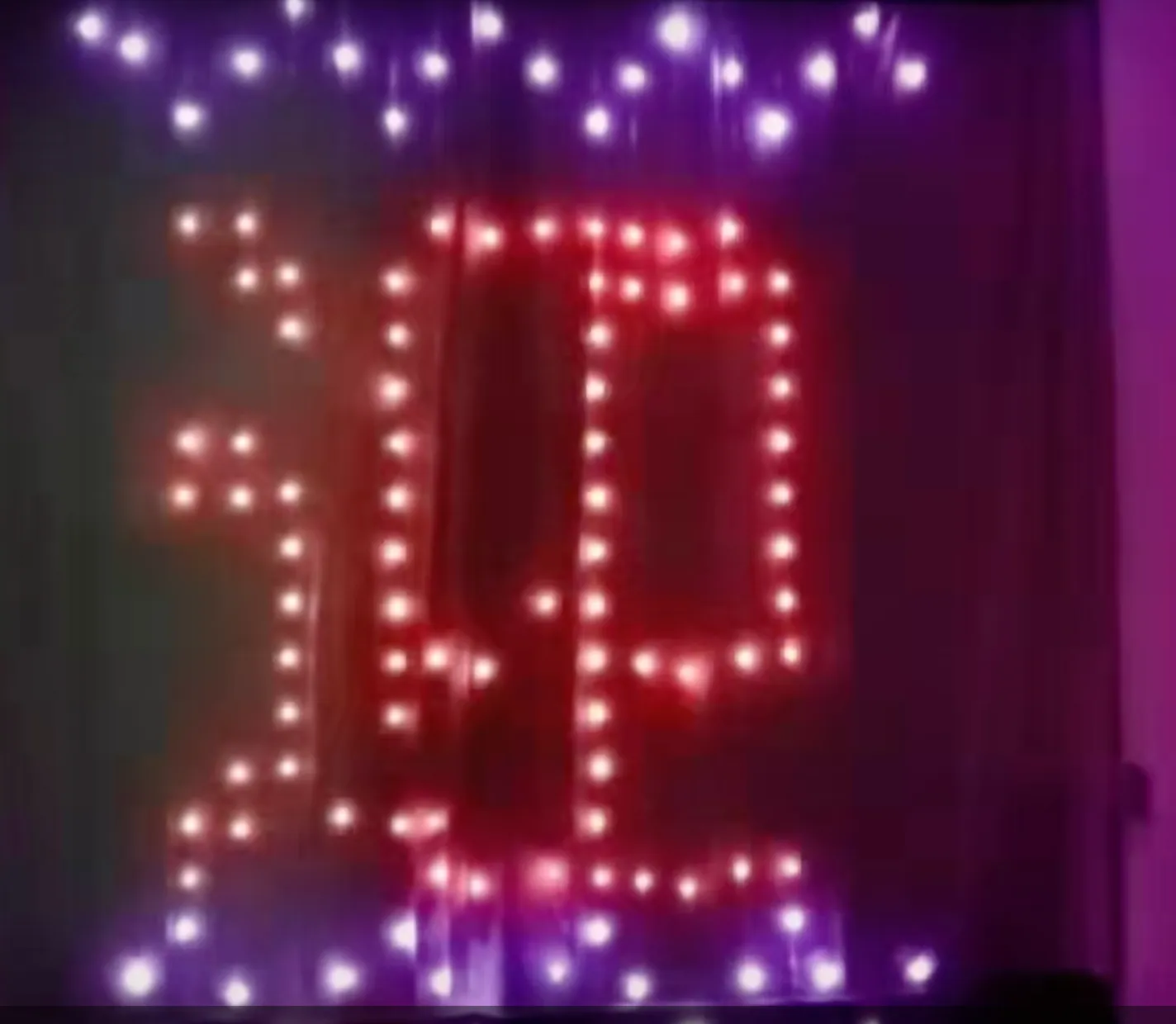
A plain curtain light runs colour patterns down its strands. A linked screen addresses the whole surface as a grid, so it can hold a picture. How many characters fit, and how far back you have to stand for a shape to read, is worked out in what a light screen can actually display.


Sizing the panel to the window
Panels are quoted as width × drop. A common 3 m × 3 m panel carries 300 LEDs on 10 to 12 strands, so the strands hang roughly 25–35 cm apart and the LEDs sit about 10 cm apart down each one. From across the room that reads as points of light on glass, not a lit sheet — a denser panel of the same size looks like a sheet, and neither is wrong.
- Measure the opening you want lit, not the glass. A panel sized to the glass ends short of the frame on both sides once it is lit, and that is the shortfall people most often regret.
- Decide whether it hangs inside the reveal or on the wall. Inside the reveal, measure the reveal at its narrowest point — plaster is rarely square, and a panel 2 cm wider than the tightest point will not sit flat. On the wall, add 10–15% to the frame width so the panel visibly overhangs the frame rather than stopping at it.
- Decide where the strands end. Above the sill, at the sill, or past it are all fine. Strands ending a hand's width short of the sill read as an accident.
- Between sizes, take the longer drop. Strands are almost always trimmable and almost never extendable.
- Matching an existing panel? Match the strand count, not the width. Two panels with the same width and a different number of strands look like two different products once lit.
On an addressable panel each strand is a data chain. A cut removes everything downstream of it, which on some layouts includes part of the next strand. Look for marked cut points along the strand; if there are none, the panel is not meant to be trimmed.
Hanging without damaging the wall
Almost all the weight is in the header and the controller, not the strands. Fix the header well and the rest looks after itself.
- Unroll the panel and let it hang for a few hours before fixing anything. Strands arrive with packing kinks and relax out under their own weight. Fixing a kinked panel and then waiting for it to straighten does not work — it sets that way.
- Decide which end the controller lives at. The controller and its lead hang at one end and have to reach a socket. Pick the end nearer the outlet before you fix the header, not after.
- Fix the header at both ends first, then the middle. Adhesive hooks are fine indoors for typical panel weights — use more of them than you think, spaced evenly, so no single hook takes a concentrated load. On a tiled or gloss-painted reveal, clean with isopropyl alcohol first; adhesive fails on residue, not on weight.
- Do not tension the strands. They are meant to hang loose. Pinning the bottom ends taut puts load into the header fixings and, on addressable panels, stresses the strand joints that carry the data line.
- Leave a service loop at the controller. A short slack loop before the plug means you can unplug the panel without pulling on the header.
Adhesive hooks and cold glass. Curtain lights go on or beside windows, which in winter is the coldest surface in the room and often damp with condensation. Adhesive that holds all summer lets go in January. If the panel is going up permanently, fix into the frame or the wall above the reveal rather than onto glass or the cold face of the reveal itself.
Setting up a linked screen so it behaves as one surface
A linked screen has to be told its own shape. The controller does not know how many panels you connected or how you arranged them, so effects only span correctly once the layout has been set in the app. Two things follow:
- Chain order is physical. The panels form a chain from the controller outward, and the panel you connect first is first in the chain. Hang them in a different left-to-right order than you chained them and effects jump around the wall in a way that looks like a fault and is not.
- Orientation matters per panel. A panel hung with its header at the top and one hung upside down are addressed in opposite directions. Keep every header the same way up unless you deliberately want mirrored movement.
Our recommendation, learned from support calls: chain and configure the panels on the floor first, run one sweeping effect, confirm it travels left to right in the order you expect, then hang them in that order. Diagnosing chain order from a ladder is miserable. Power feeds for larger assemblies, and a table for reading a scrambled image, are in chaining light screen panels.
How the mainstream curtain lights handle size and linking
| Product | Sizes and pixel count | Can panels be joined? | Control |
|---|---|---|---|
| Govee Curtain Lights 2 | 1.5 × 2 m with 520 LEDs (a 20 × 26 grid); 3 × 2 m with 1040; 4.5 × 2 m with 1560; IP65 | No: Govee lists them as non-splicable, so a wider wall means the larger size | Govee Home app over Wi-Fi and Bluetooth, with an account; displays GIFs |
| Twinkly Curtain (Gen II) | 1.5 × 2.1 m, 210 addressable RGB+W LEDs, IP44 | The layout is mapped with the phone camera rather than set by chain order | Twinkly app, Bluetooth and Wi-Fi |
| Ours | The four variants in the table at the top | Linked-screen variants chain on one controller, with the layout set as rows and columns in the app; single-panel variants do not join | Bluetooth direct, no account |
Two things follow. "Non-splicable" is not a Govee quirk; it is what a single fixed pixel array means, and our single-panel variants behave the same way, which is why the variant table at the top matters before you buy. Pixel density is also comparable across the market: 520 pixels on a 1.5 × 2 m panel is about 20 × 26, the same order as the strand and pixel spacing in the sizing section, so the readability limits in what a pixel curtain can display apply to every brand.
Sources: Govee, Curtain Lights 2; Twinkly help centre.
It lights, but something looks wrong
| What you see | Usually means | What to do |
|---|---|---|
| One strand dark, strands after it fine | That strand has lost power or its LEDs have failed | Strand fault; the rest of the panel is unaffected |
| One strand dark and every strand after it dark too | Data line broken at the top of that strand, where the header joint is | Check the header joint above the first dark strand |
| Colours are right, effects do not move | Wrong app: a general RGB app sets brightness and a solid colour but none of the travelling effects | Install the app that matches the controller — which app |
| Red shows as green | Channel order, not a fault | Correct it in the app — wrong colours and the pin sequence |
| Two panels side by side, the sweep restarts at the join | Single-panel variants, each running the effect on its own | Only linked-screen variants span a join; one controller cannot be split across single panels |
| Linked screen, effects jump around the wall | Hang order differs from chain order, or one panel is upside down | Re-hang in chain order with every header at the top |
Find the variant name on the box and check it against the table above, measure the opening at its narrowest point, and choose the longer drop if you are between sizes. If two or more panels are going up side by side, buy linked-screen panels and chain them on the floor before the ladder comes out.
Questions about a specific curtain light of ours? Contact us.